

Rotas that survive a real week
Most rota tools plan shift by shift, so every change is a rebuild. Glix plans the service you actually contracted, which means cover, changes and repeats cost one action instead of an afternoon.
Rota administration is the largest recurring time cost for a multi-site contractor, and it peaks exactly when something goes wrong.
14-day trial, no card, full Pro features
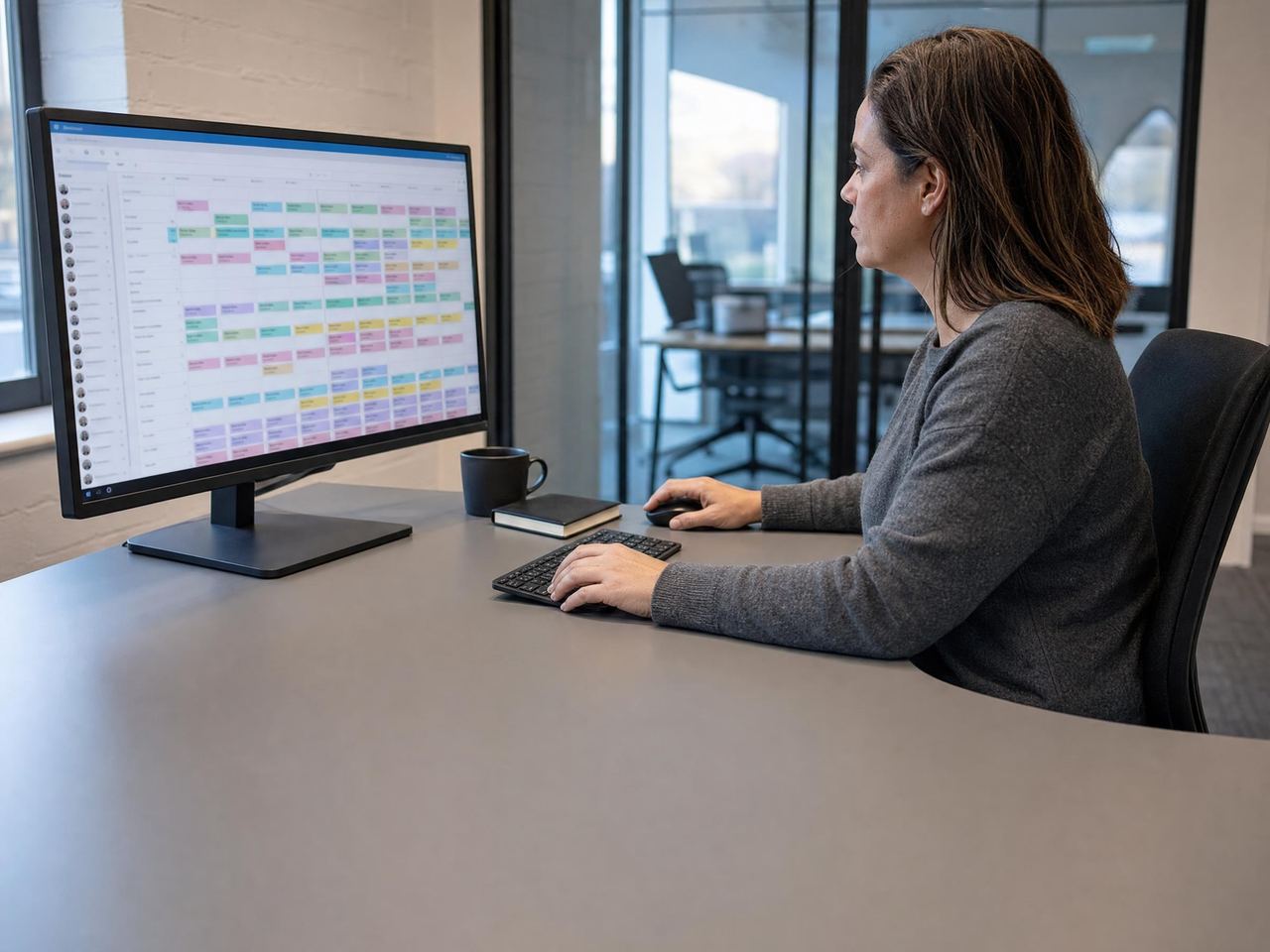
Recurring service · overnight shifts · breaks applied
What this gives your operation
Cut the weekly rota rebuild
Recurring services carry forward, so a stable contract is planned once rather than retyped every week.
Fill cover in two clicks
When a worker calls in sick, you assign cover from the same screen and the audit trail stays intact.
Protect cover quality
Pre-shift briefings put access context, hazards and client preferences in front of a stand-in before they travel.
The workflow, start to finish
- A manager builds the week from recurring services rather than blank cells.
- Workers receive their shifts with the briefing notes attached.
- A worker reports sick, so the manager assigns cover from the same grid.
- The change is recorded, and attendance and hours follow automatically.
In the product
- Week-grid rota with overnight shifts and break handling
- Recurring services and manual one-off shifts on the same rota
- Two-click cover with the original record preserved
- Pre-shift briefing notes delivered to the worker
- Worker availability captured against the schedule
- Multiple schedules on one round, so a day pattern and a night pattern can differ
- Shift allocation across teams, locations and clients
Common scheduling questions
Can Glix handle overnight and split shifts?
Yes. Shifts can cross midnight, and breaks are handled within the shift so worked hours stay accurate.
What happens to the record when cover changes?
The original assignment and the cover assignment are both retained, so the rota shows what was planned and what actually happened.
Do we have to rebuild the rota every week?
No. A recurring service carries forward, so a stable contract is planned once and repeats. You spend the week on the exceptions rather than on retyping the pattern.
How does a stand-in know what the location needs?
Pre-shift briefing notes go out with the shift, so access details, hazards and client preferences reach a covering worker before they travel rather than when they arrive.
Can workers tell us when they are available?
Yes. Availability is captured against the schedule, so the person building the rota can see who can genuinely take a shift before assigning it.
Can one location run different day and night patterns?
Yes. A round can carry more than one schedule, so a day pattern and a night pattern differ without needing two separate locations. Multiple schedules on one round are available from Pro upwards.
Works with the rest of the platform
One worker record underneath, so the rota, the attendance event, the round and the incident all refer to the same person and location.
Time & attendance
Geofenced clock in and clock out with a location fix, raw clock events preserved and rated hours that are export-ready for payroll.
Lone worker protection
Worker SOS, discreet duress alarm, check-ins with missed check-in escalation, SMS alert rungs and last-known location.
Patrols & rounds
Checkpoint taps, ordered patrol routes, photo proof, missed-round alerts, dwell time and offline capture.
Site audits
Weighted inspection scoring with pass thresholds, per-item auditor guidance, corrective actions tracked to close, audit scheduling and AI-assisted write-up.
See it in context: Security guarding , Cleaning , Care , Facilities management

Signed up, configured and live. No sales call.
Start on a Sunday evening if you like. Set up your locations, invite your team and run your first shift before anyone asks you to book a demo.
14-day trial, no card, full Pro features